Change reverse proxy
A reverse proxy acts as a secure gateway between your Olares and the open web, enabling you to expose local services to the public internet securely without needing a public IP. For users who do not own a public IP address, Olares offers the following reverse proxy options to facilitate external access to Olares applications:
- Olares Tunnel – Official reverse proxy nodes maintained by Olares across multiple regions.
- Self-built FRP – Use your own FRP server for fully customized control.
Change your reverse proxy option
You can change your reverse proxy configuration at any time.
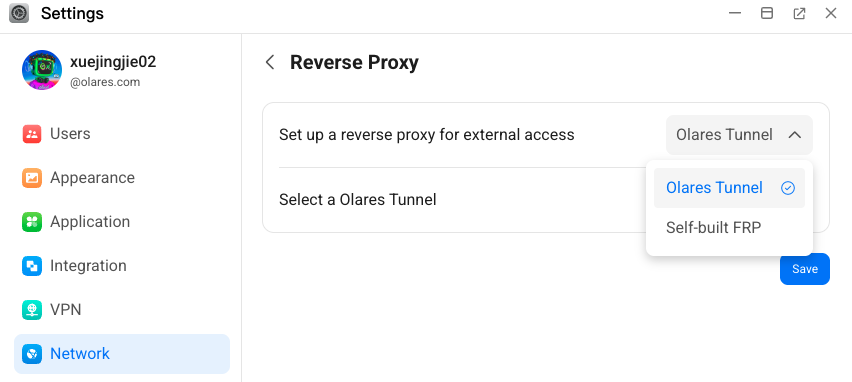
Open Settings, then go to Network > Reverse Proxy.
Select your preferred reverse proxy option:
Olares Tunnel: Choose a node that’s geographically closest to you for optimal performance.
Self-built FRP: Enter your own FRP server address, port, and authentication information.
Click Save to apply your changes.